> ## Documentation Index
> Fetch the complete documentation index at: https://docs.withbind.com/llms.txt
> Use this file to discover all available pages before exploring further.
# Viewing Payouts
> Review pending and past payouts to maintain accurate financials.
## Initial Setup
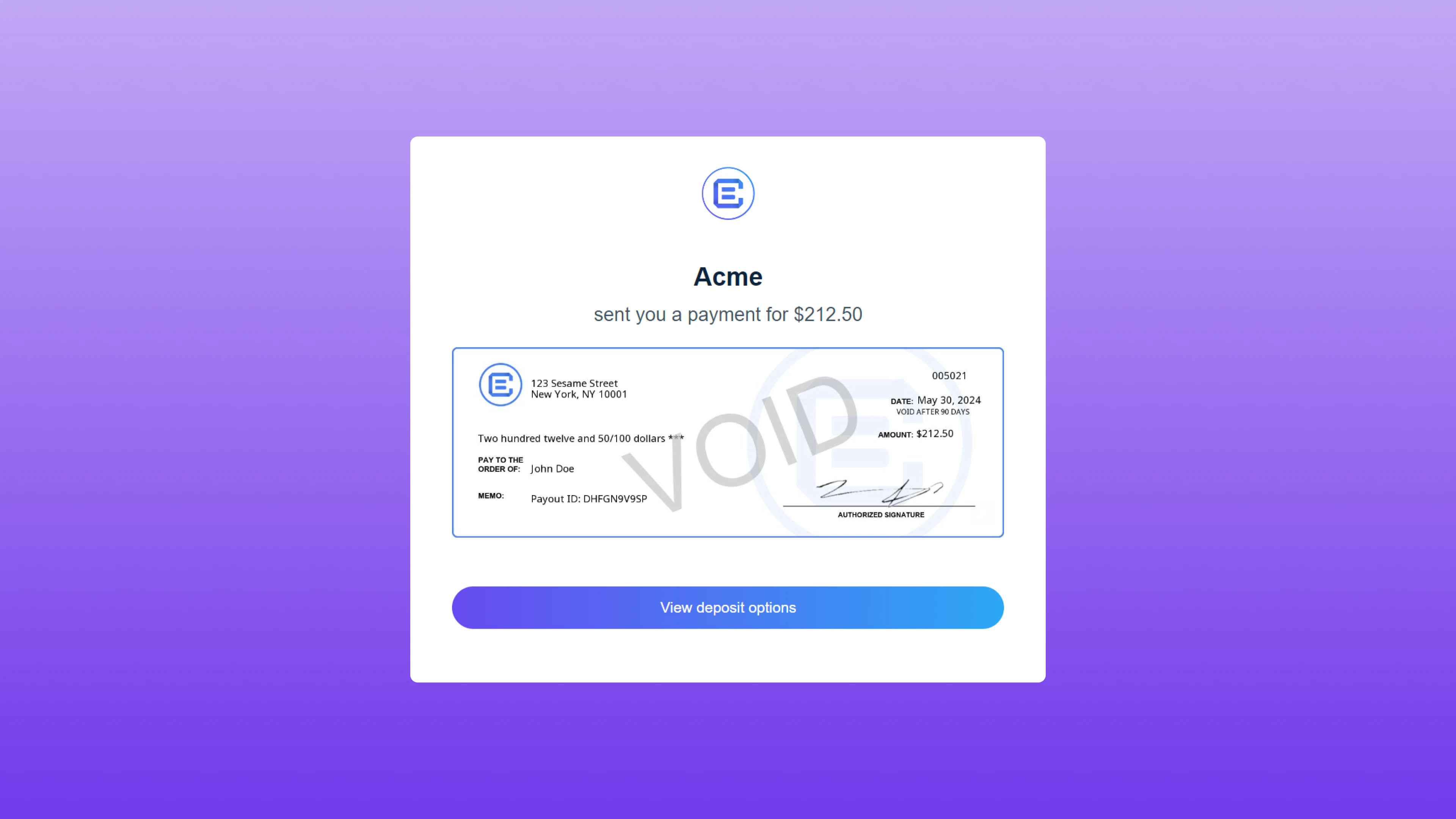 When the first initial payout is sent, a consignor will receive an email from Checkbook.io prompting them to add their bank information. Once the payout source is set up, all future payments will be processed to the registered bank.
## Awaiting Payment
When the first initial payout is sent, a consignor will receive an email from Checkbook.io prompting them to add their bank information. Once the payout source is set up, all future payments will be processed to the registered bank.
## Awaiting Payment
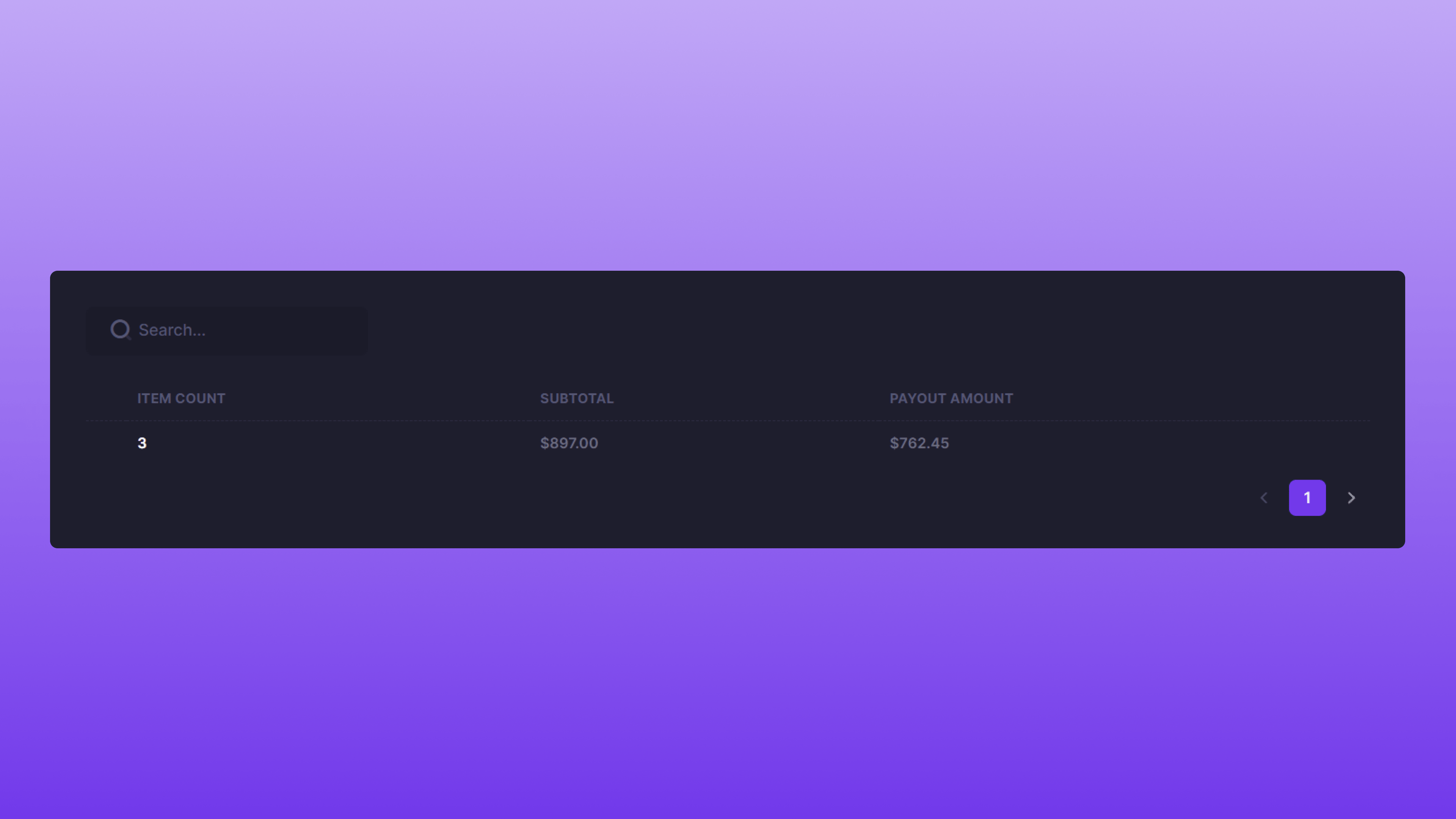 The total number of Items awaiting payment will be listed on this page, along with the corresponding total sales and payout amounts. By clicking on the specific item count number, users can access detailed payout information for each Item.
## Pending Payout Details
The total number of Items awaiting payment will be listed on this page, along with the corresponding total sales and payout amounts. By clicking on the specific item count number, users can access detailed payout information for each Item.
## Pending Payout Details
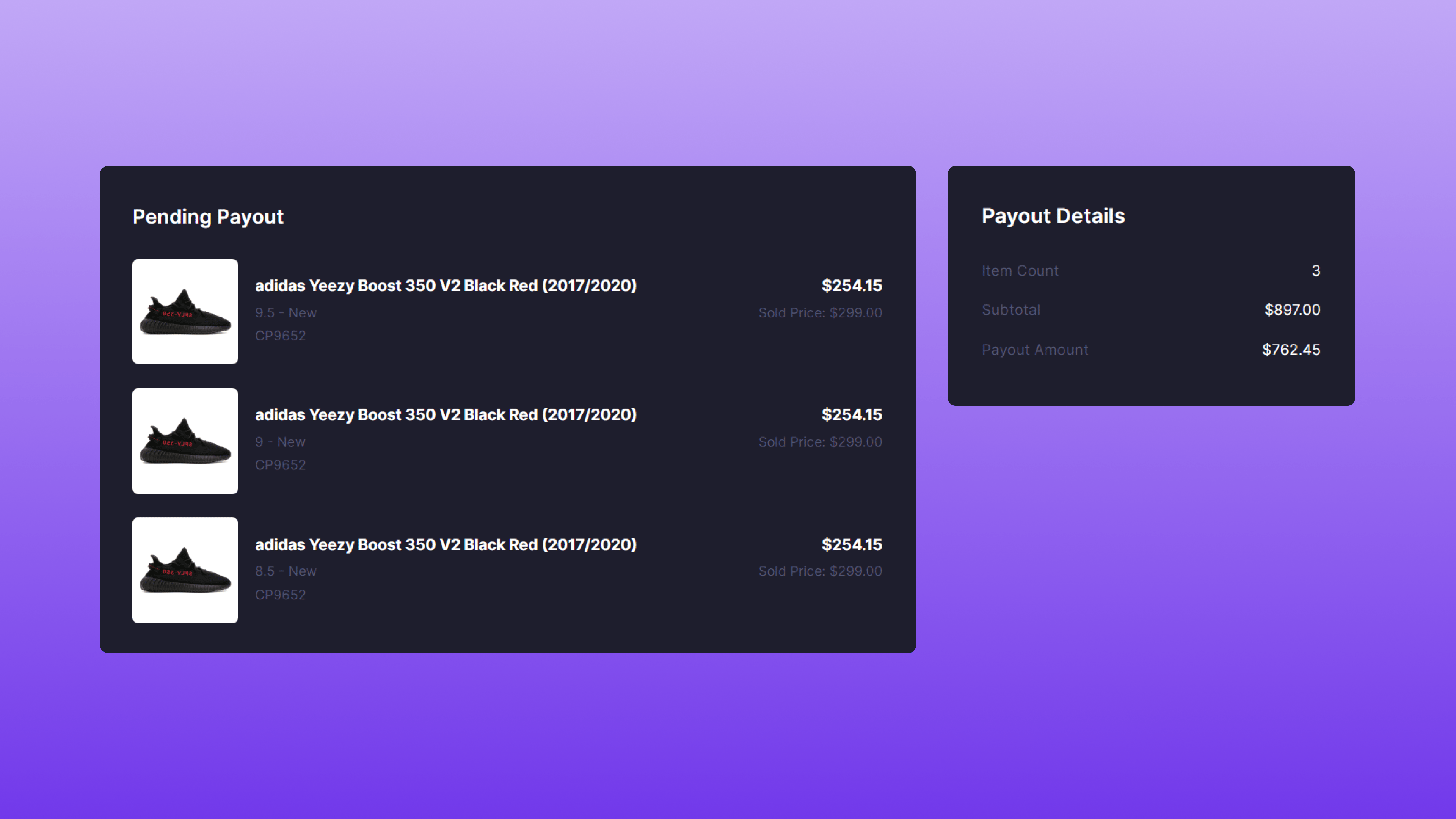 All items waiting for payout will be displayed with their individual selling price and payout amount. On the right side of the page, you will find the total count of items, the overall sales amount, and the total payout amount. By clicking on an item title, you can access a detailed overview of that particular product, which is useful for reviewing its event timeline.
## Paid
All items waiting for payout will be displayed with their individual selling price and payout amount. On the right side of the page, you will find the total count of items, the overall sales amount, and the total payout amount. By clicking on an item title, you can access a detailed overview of that particular product, which is useful for reviewing its event timeline.
## Paid
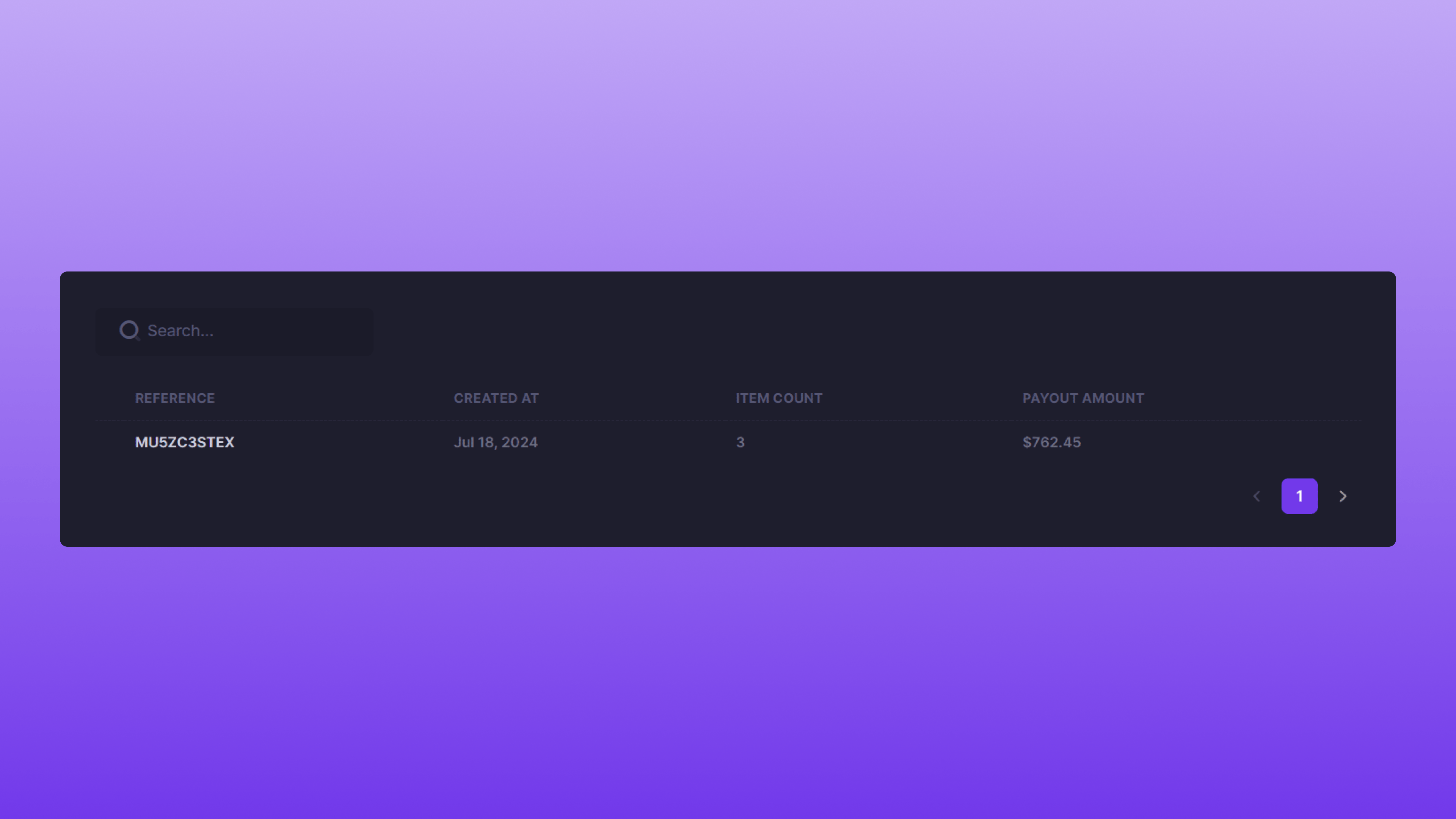 Each completed payout will be listed by Reference ID in chronological order, with the most recent payout listed first. The search feature can be used to find a specific payout based on the Reference ID. Clicking a Reference ID will take you to the payout details page.
## Payout Details
Each completed payout will be listed by Reference ID in chronological order, with the most recent payout listed first. The search feature can be used to find a specific payout based on the Reference ID. Clicking a Reference ID will take you to the payout details page.
## Payout Details
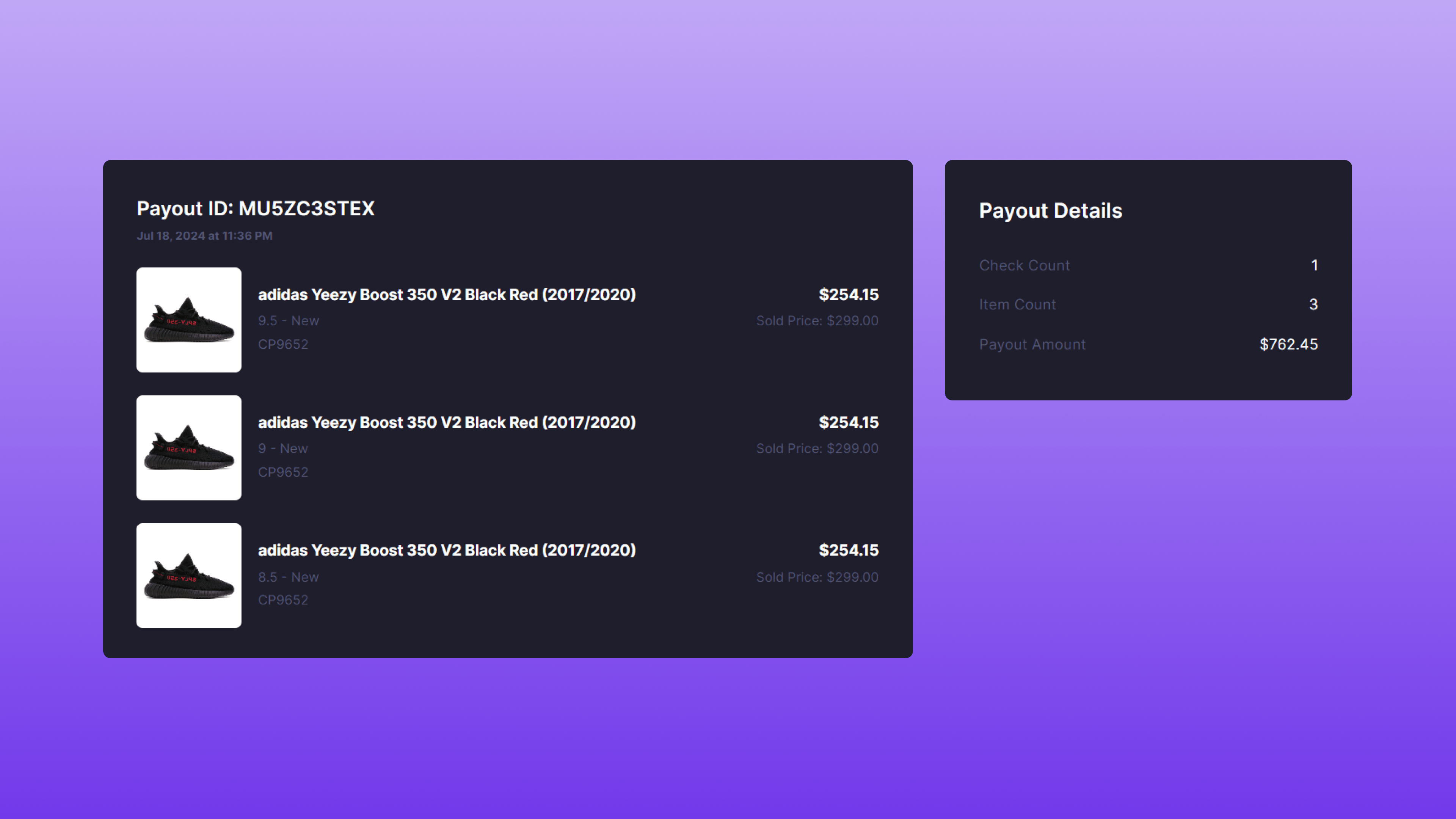 All items on a completed payout will be displayed with their individual selling price and payout amount. On the right side of the page, you will find the total count of items, the overall sales amount, and the total payout amount. By clicking on an item title, you can access a detailed overview of that particular item, which is useful for reviewing its event timeline.