> ## Documentation Index
> Fetch the complete documentation index at: https://docs.withbind.com/llms.txt
> Use this file to discover all available pages before exploring further.
# Automated Collections
> Utilizing Automated Collections allows a store owner to organize their online storefont by categories such as brand, specific model, or keywords of their choice.
## About
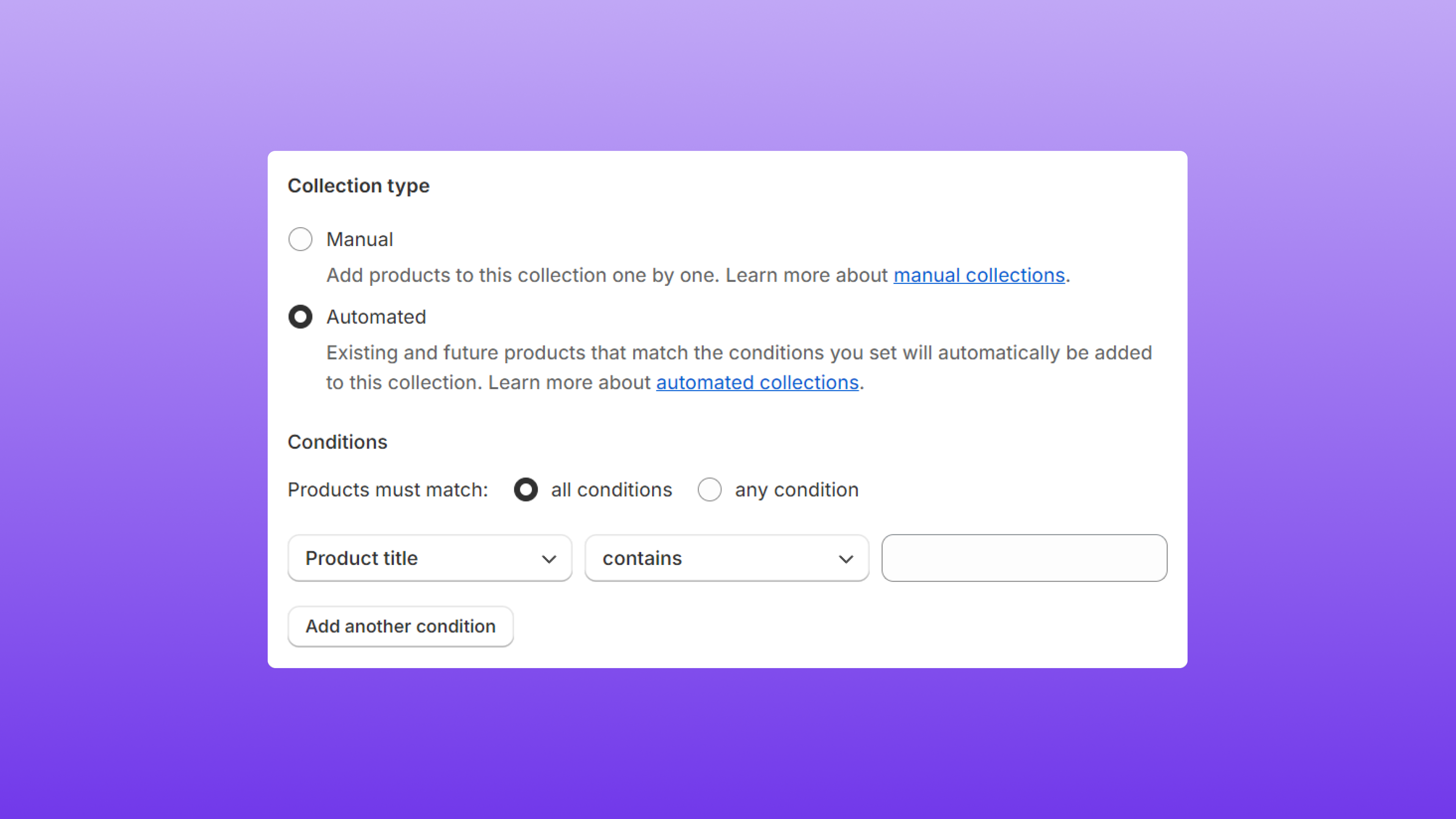 **Automated Collections** is a feature provided by [Shopify](https://www.shopify.com/) that enables store owners to automatically curate and showcase products in their online shop based on predefined rules and conditions. This feature is instrumental in ensuring the hottest and most popular items are easily accessible by potential customers, allowing for an improved experience from your store.
Types of collections:
* [Manual](https://help.shopify.com/en/manual/products/collections/manual-shopify-collection): A manual collection includes the specific products that you choose. The collection will always contain the same products unless you add or remove them.
* [Automated](https://help.shopify.com/en/manual/products/collections/automated-collections): An automated collection uses selection conditions to automatically include matching products as they are added to your store.
## Element Matching
### Example #1
**Automated Collections** is a feature provided by [Shopify](https://www.shopify.com/) that enables store owners to automatically curate and showcase products in their online shop based on predefined rules and conditions. This feature is instrumental in ensuring the hottest and most popular items are easily accessible by potential customers, allowing for an improved experience from your store.
Types of collections:
* [Manual](https://help.shopify.com/en/manual/products/collections/manual-shopify-collection): A manual collection includes the specific products that you choose. The collection will always contain the same products unless you add or remove them.
* [Automated](https://help.shopify.com/en/manual/products/collections/automated-collections): An automated collection uses selection conditions to automatically include matching products as they are added to your store.
## Element Matching
### Example #1
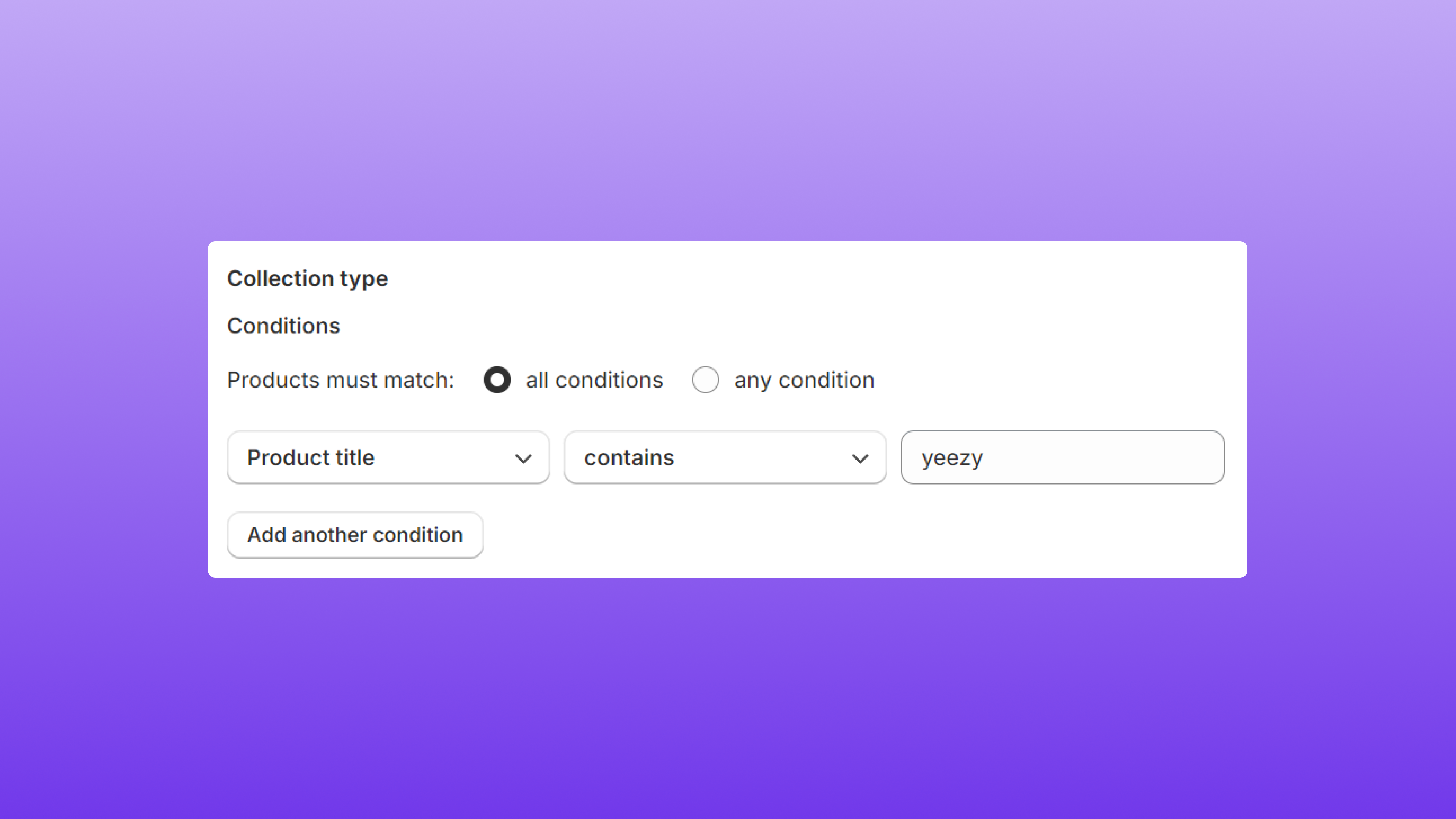 To create an Automated Collection that is specific to a product's model, include the model as a keyword.
To create a collection consisting of all products with a title that includes **Yeezy**, the following Automated Collection settings would be selected.
**Product title** - **Contains** - **Yeezy** (keyword)
### Example #2
To create an Automated Collection that is specific to a product's model, include the model as a keyword.
To create a collection consisting of all products with a title that includes **Yeezy**, the following Automated Collection settings would be selected.
**Product title** - **Contains** - **Yeezy** (keyword)
### Example #2
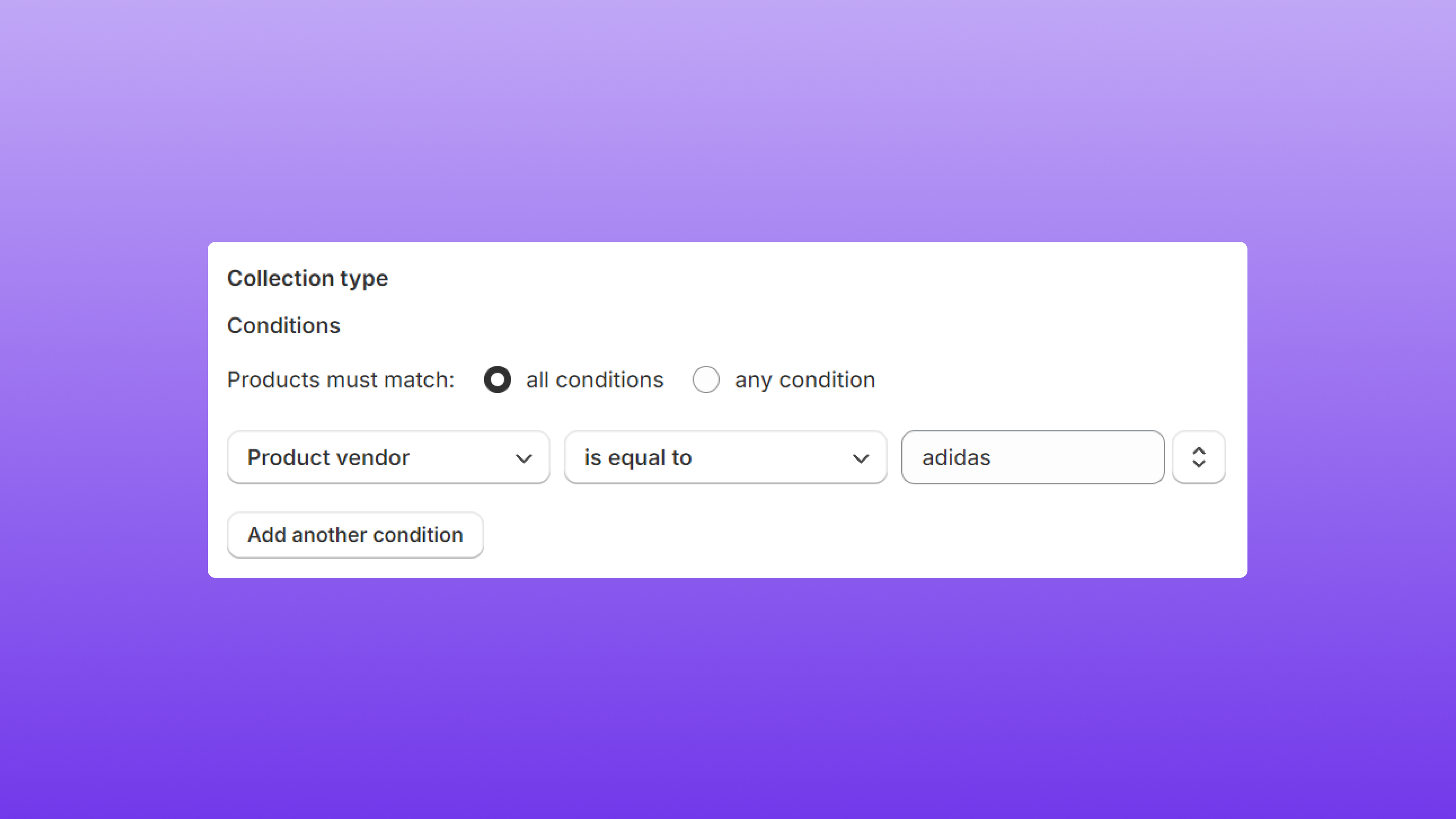 To create an Automated Collection that is specific to a product's brand, include the brand as a keyword.
To create a collection consisting of all products with a vendor name that matches **adidas**, the following Automated Collection settings would be selected.
**Product Vendor** - **Contains** - **adidas** (keyword)
**Note:** Any attributes of the item can be used, but the most powerful are **Title** and **Vendor**. Our catalog assigns the brand to the Vendor value.
To create an Automated Collection that is specific to a product's brand, include the brand as a keyword.
To create a collection consisting of all products with a vendor name that matches **adidas**, the following Automated Collection settings would be selected.
**Product Vendor** - **Contains** - **adidas** (keyword)
**Note:** Any attributes of the item can be used, but the most powerful are **Title** and **Vendor**. Our catalog assigns the brand to the Vendor value.