> ## Documentation Index
> Fetch the complete documentation index at: https://docs.withbind.com/llms.txt
> Use this file to discover all available pages before exploring further.
# Discover
> Explore your store's inventory with Discover, offering a detailed view of current and past stock through customizable Search and filter capabilities.
## About
The Inventory Discover provides an overview of your store's current and past inventory. It also provides the functionality of viewing a granular overview while using the Filter and/or Search function. You can view an Item's Overview by selecting the Item's Title.
Using Discover is mainly beneficial for:
* **Active Items**: Overview of all Active Items.
* **Item Overview**: Accessing historical data on specific items.
* **Price Updates**: Identifying store-owned items for price updates.
## Search
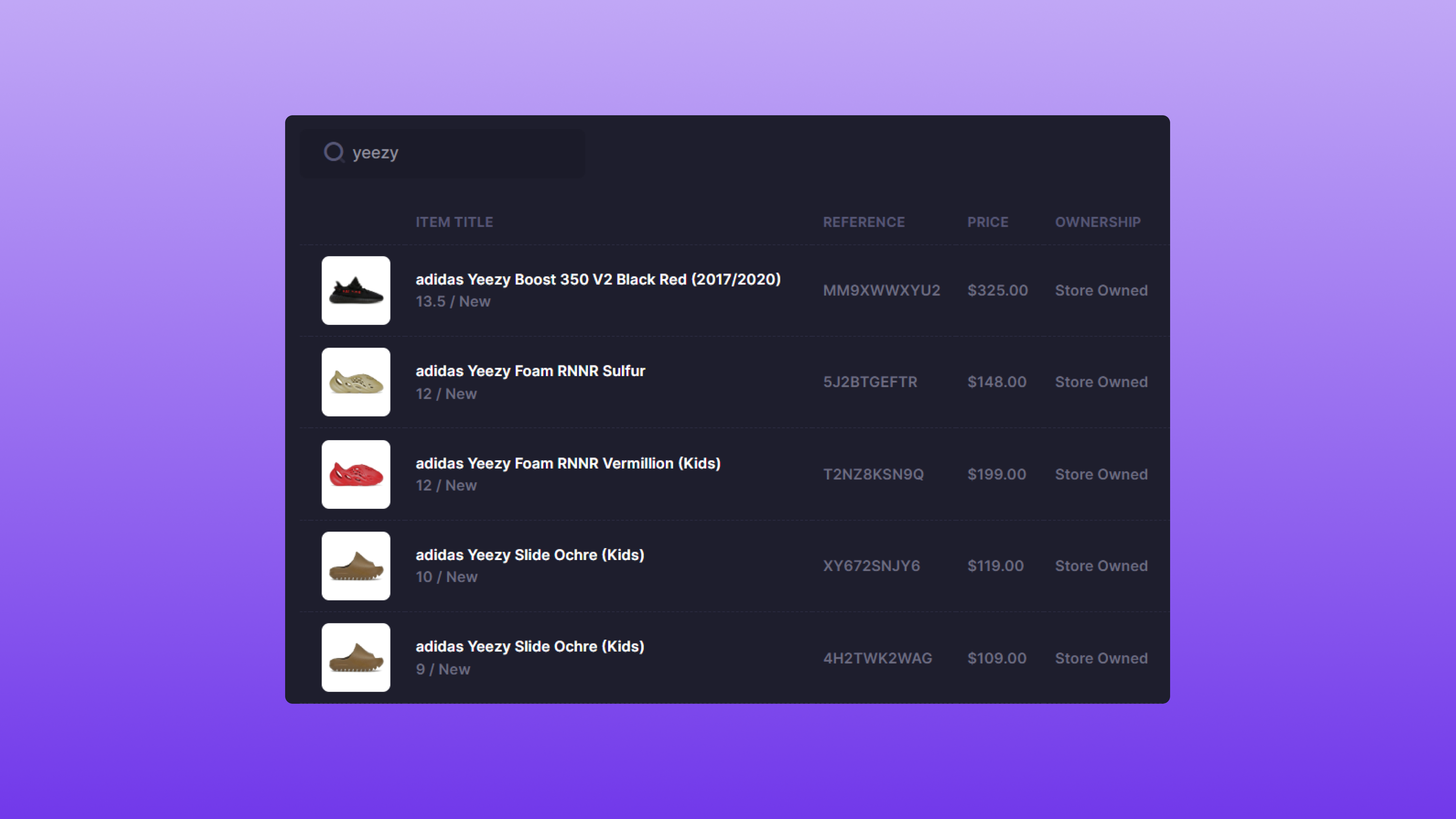 Discover allows you to Search for results based on a Product's title or SKU.
## Filter
Discover allows you to Search for results based on a Product's title or SKU.
## Filter
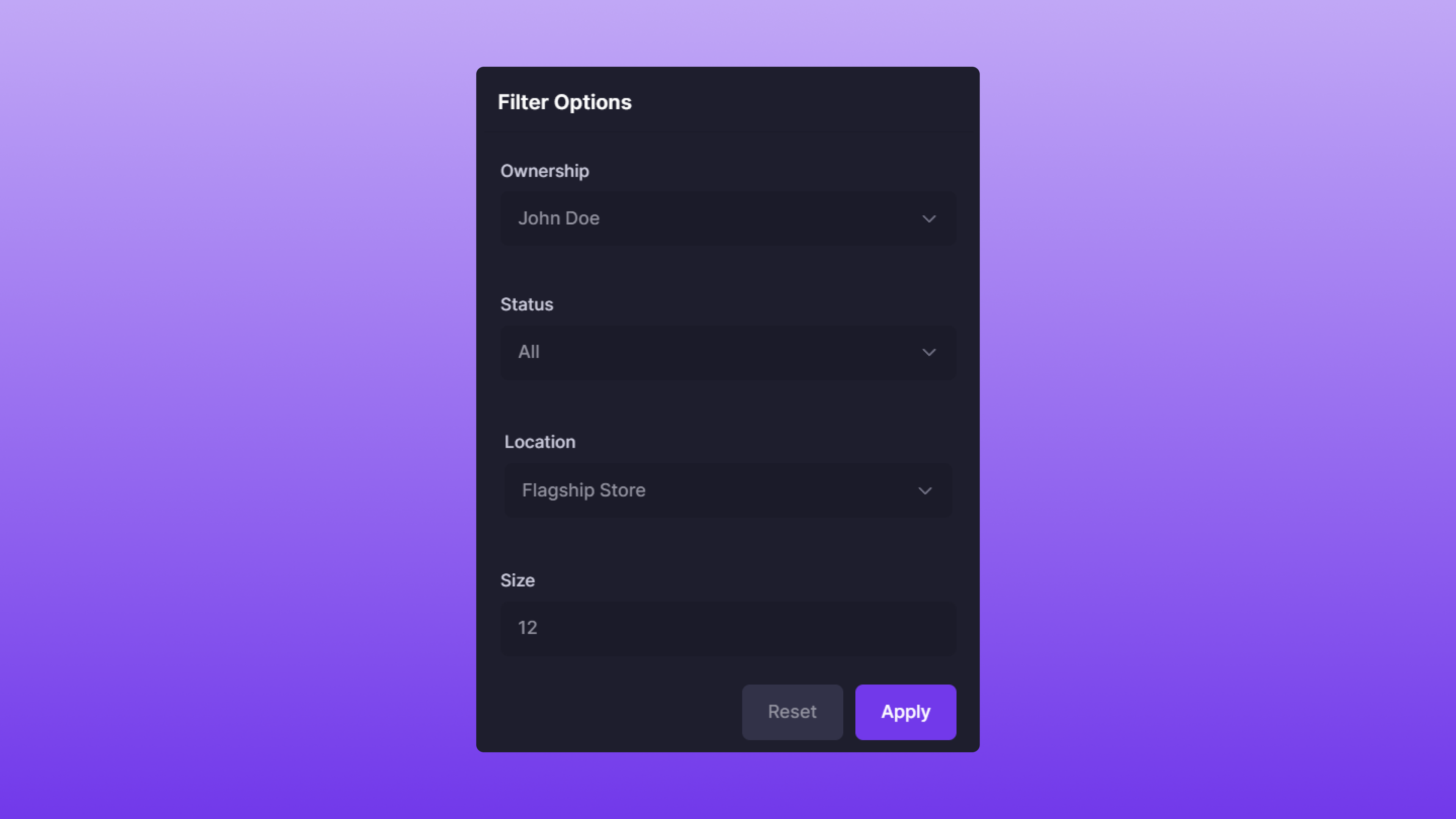 Discover also supports the ability to Filter results to your specification. The Filter options are as follows:
* **Ownership**: The Item owner's full name.
* **Status**: The Item's [Status](/features/tracking/statuses)
* A specific Status can be selected, or you can default to **All**. This will return all Items, regardless of their status.
* **Location**: The Item's location.
* **Size**: The Item's size.
The filtering attributes work in conjunction with each other. For example, the Filter options set in the image above would return Items that have:
* **John Doe** as the sole owner
* **All** Items, disregarding a specific Item status
* **Flagship Store** as the location
* **12** as the size
The attributes are optional; you can choose as many or as few as desired.
## Using Search & Filter
Search and Filter can also be used in conjunction with each other. A few examples of this feature are below:
| Item Title | Size | Ownership | Location | Status |
| ----------------------------- | ---- | --------- | -------------- | -------- |
| adidas Yeezy Foam RNNR Sulfur | 12 | John Doe | Flagship Store | Active |
| adidas Yeezy Slide Ochre | 10 | Jane Doe | Flagship Store | In-Queue |
| adidas Yeezy Foam RNNR Sulfur | 12 | Jane Doe | Flagship Store | In-Queue |
### Example #1
* **Search**: `adidas yeezy`
* **Filter**:
* **Location**: Flagship Store
Since all three Items are located at the **Flagship Store**, all are returned.
### Example #2
* **Search**: `adidas yeezy`
* **Filter**:
* **Status**: Active
Since there's only one Item that has an **Active** status, the **adidas Yeezy Foam RNNR Sulfur** owned by **John Doe** is returned.
### Example #3
* **Search**: `adidas yeezy`
* **Filter**:
* **Location**: Flagship Store
* **Size**: 12
Since there are two items that are located at the **Flagship Store** and are size **12**, both **Jane** and **John Doe**'s Items are returned. If Ownership was specified to either one of them, the result would be narrowed down to 1.
Discover also supports the ability to Filter results to your specification. The Filter options are as follows:
* **Ownership**: The Item owner's full name.
* **Status**: The Item's [Status](/features/tracking/statuses)
* A specific Status can be selected, or you can default to **All**. This will return all Items, regardless of their status.
* **Location**: The Item's location.
* **Size**: The Item's size.
The filtering attributes work in conjunction with each other. For example, the Filter options set in the image above would return Items that have:
* **John Doe** as the sole owner
* **All** Items, disregarding a specific Item status
* **Flagship Store** as the location
* **12** as the size
The attributes are optional; you can choose as many or as few as desired.
## Using Search & Filter
Search and Filter can also be used in conjunction with each other. A few examples of this feature are below:
| Item Title | Size | Ownership | Location | Status |
| ----------------------------- | ---- | --------- | -------------- | -------- |
| adidas Yeezy Foam RNNR Sulfur | 12 | John Doe | Flagship Store | Active |
| adidas Yeezy Slide Ochre | 10 | Jane Doe | Flagship Store | In-Queue |
| adidas Yeezy Foam RNNR Sulfur | 12 | Jane Doe | Flagship Store | In-Queue |
### Example #1
* **Search**: `adidas yeezy`
* **Filter**:
* **Location**: Flagship Store
Since all three Items are located at the **Flagship Store**, all are returned.
### Example #2
* **Search**: `adidas yeezy`
* **Filter**:
* **Status**: Active
Since there's only one Item that has an **Active** status, the **adidas Yeezy Foam RNNR Sulfur** owned by **John Doe** is returned.
### Example #3
* **Search**: `adidas yeezy`
* **Filter**:
* **Location**: Flagship Store
* **Size**: 12
Since there are two items that are located at the **Flagship Store** and are size **12**, both **Jane** and **John Doe**'s Items are returned. If Ownership was specified to either one of them, the result would be narrowed down to 1.