> ## Documentation Index
> Fetch the complete documentation index at: https://docs.withbind.com/llms.txt
> Use this file to discover all available pages before exploring further.
# Pending Withdrawals
> Manage and streamline the process of inventory withdrawal with real-time tracking of consigner items awaiting collection, facilitated by advanced Search and Filter options.
## About
Pending Withdrawals displays all inventory waiting to be withdrawn. Once a Consigner receives their items, an Admin or Employee can process the withdrawal.
## Search
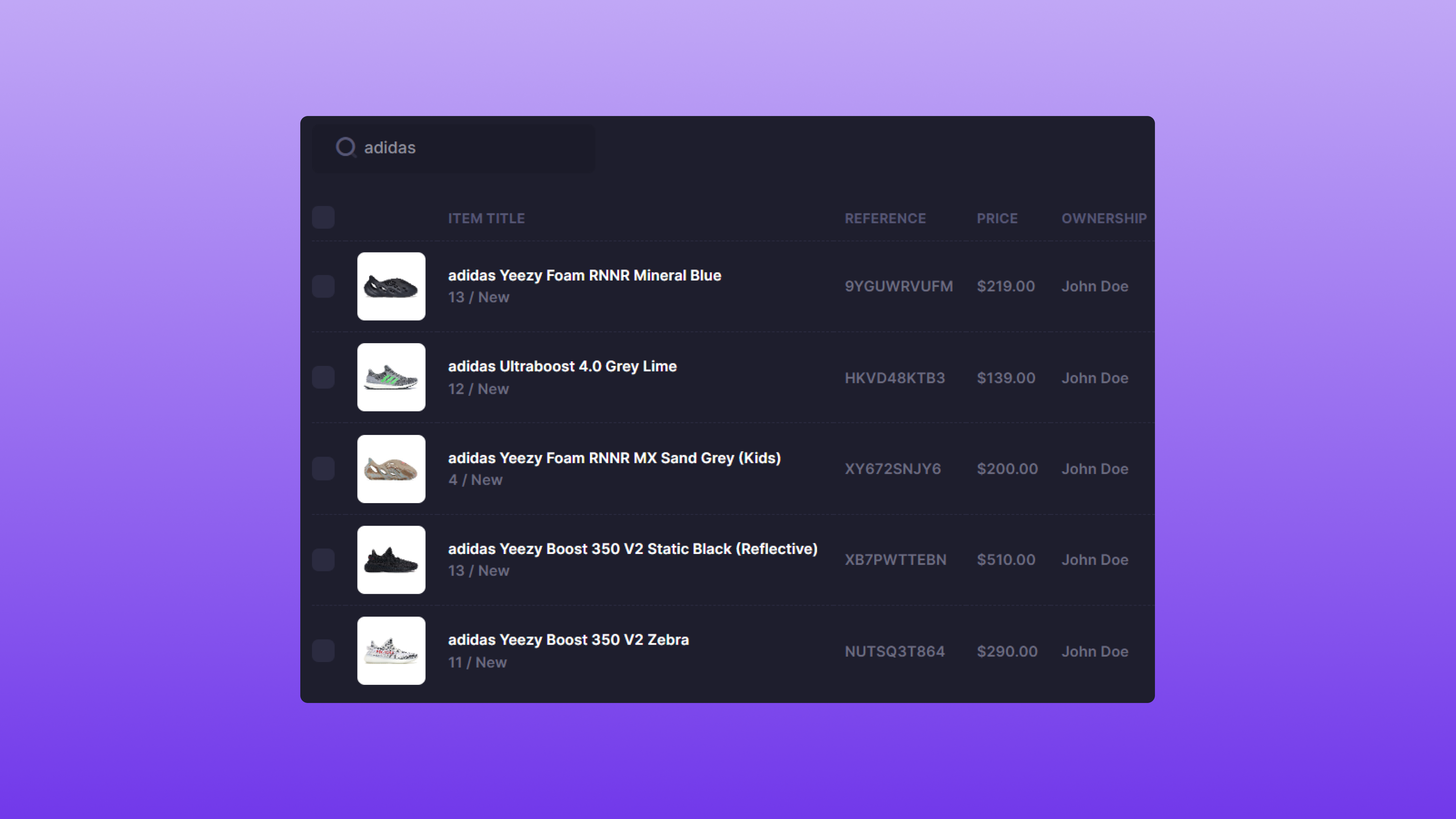 Pending Withdrawals allows for searching by Product title or SKU.
## Filter
Pending Withdrawals allows for searching by Product title or SKU.
## Filter
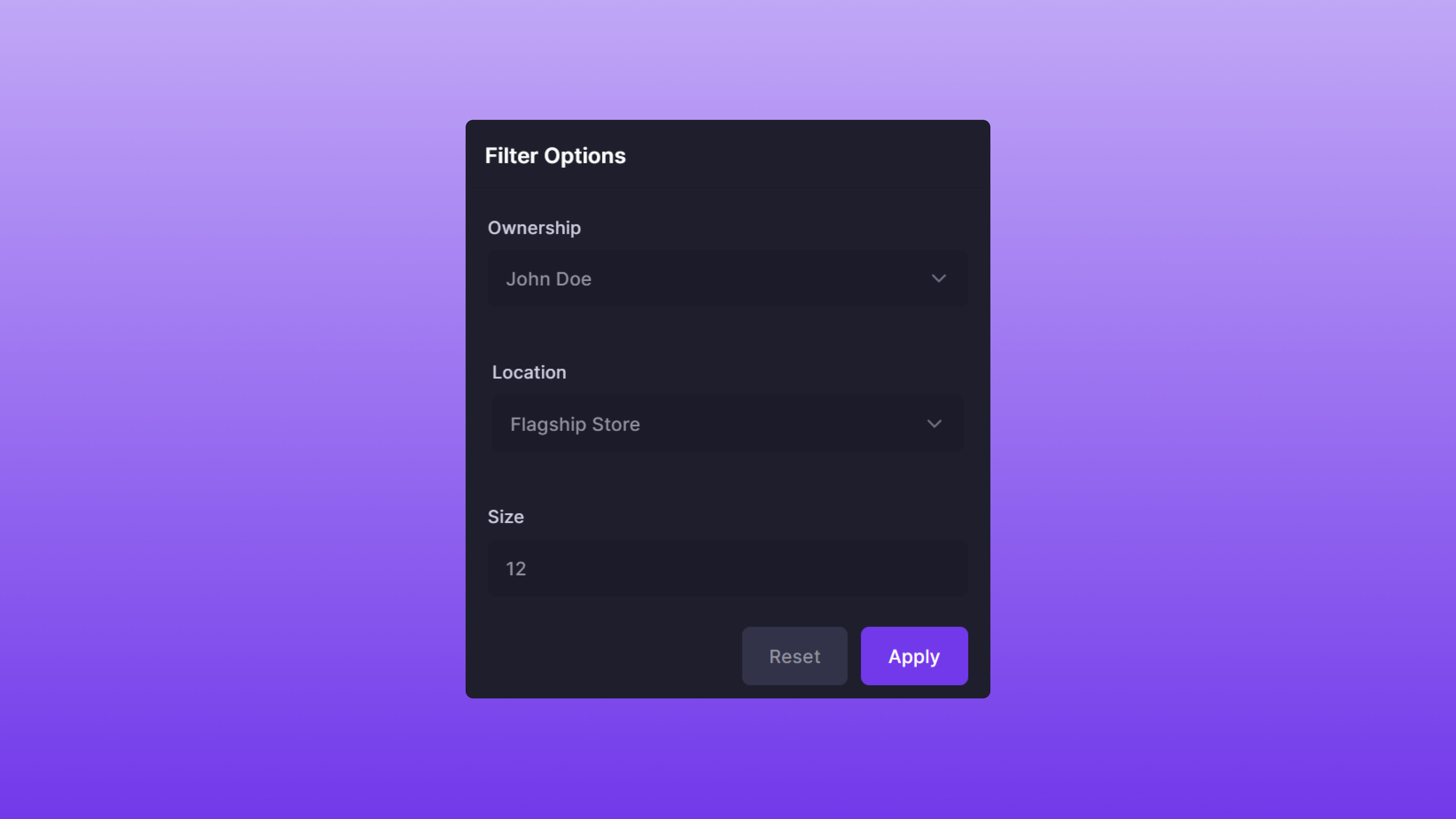 Pending Withdrawals also supports the ability to Filter results to your specification. The Filter options are as follows:
* **Ownership**: The Item owner's full name.
* **Location**: The Item's location.
* **Size**: The Item's size.
The filtering attributes work in conjunction with each other. For example, the Filter image above would return Items that have:
* **John Doe** as the sole owner
* **Flagship Store** as the location
* **12** as the size
The attributes are optional; you can choose as many or as few as desired.
## Using Search & Filter
Search and Filter can also be used in conjunction with each other. A few examples of this feature are below:
| Item Title | Size | Ownership | Location |
| ----------------------------- | ---- | --------- | -------------- |
| adidas Yeezy Foam RNNR Sulfur | 12 | John Doe | Flagship Store |
| adidas Yeezy Slide Ochre | 10 | Jane Doe | Flagship Store |
| adidas Yeezy Foam RNNR Sulfur | 12 | Jane Doe | Flagship Store |
### Example #1
* **Search**: `adidas yeezy`
* **Filter**:
* **Location**: Flagship Store
Since all three Items are located at the **Flagship Store**, all are returned.
### Example #2
* **Search**: `adidas yeezy`
* **Filter**:
* **Size**: 12
* **Ownership**: John Doe
Since there's only one Item that is a size **12** and owned by **John Doe**, one is returned.
### Example #3
* **Search**: `sulfur`
* **Filter**:
* **Ownership**: John Doe
Since there's only one item owned by **John Doe**, one is returned.
### Benefits
Using both Search and Filter is the recommended method to quickly and accurately withdraw Items from consignment.
## Complete or Decline a Withdrawal Request

To complete a withdrawal request for an Item, simply select the checkbox that references the Item. Once the correct Item is selected, locate the **Complete Withdraw** button and click it. The process for declining a withdrawal is similarly accomplished through utilizing the **Decline Withdraw** button. If a withdrawal request is declined, the Item will be added to the active inventory.
### After Withdrawal
Once the Item has been withdrawn, the Item's status will be set to **Withdrawn**. The Consigner will also receive an email confirming the Withdrawal was completed.
Pending Withdrawals also supports the ability to Filter results to your specification. The Filter options are as follows:
* **Ownership**: The Item owner's full name.
* **Location**: The Item's location.
* **Size**: The Item's size.
The filtering attributes work in conjunction with each other. For example, the Filter image above would return Items that have:
* **John Doe** as the sole owner
* **Flagship Store** as the location
* **12** as the size
The attributes are optional; you can choose as many or as few as desired.
## Using Search & Filter
Search and Filter can also be used in conjunction with each other. A few examples of this feature are below:
| Item Title | Size | Ownership | Location |
| ----------------------------- | ---- | --------- | -------------- |
| adidas Yeezy Foam RNNR Sulfur | 12 | John Doe | Flagship Store |
| adidas Yeezy Slide Ochre | 10 | Jane Doe | Flagship Store |
| adidas Yeezy Foam RNNR Sulfur | 12 | Jane Doe | Flagship Store |
### Example #1
* **Search**: `adidas yeezy`
* **Filter**:
* **Location**: Flagship Store
Since all three Items are located at the **Flagship Store**, all are returned.
### Example #2
* **Search**: `adidas yeezy`
* **Filter**:
* **Size**: 12
* **Ownership**: John Doe
Since there's only one Item that is a size **12** and owned by **John Doe**, one is returned.
### Example #3
* **Search**: `sulfur`
* **Filter**:
* **Ownership**: John Doe
Since there's only one item owned by **John Doe**, one is returned.
### Benefits
Using both Search and Filter is the recommended method to quickly and accurately withdraw Items from consignment.
## Complete or Decline a Withdrawal Request

To complete a withdrawal request for an Item, simply select the checkbox that references the Item. Once the correct Item is selected, locate the **Complete Withdraw** button and click it. The process for declining a withdrawal is similarly accomplished through utilizing the **Decline Withdraw** button. If a withdrawal request is declined, the Item will be added to the active inventory.
### After Withdrawal
Once the Item has been withdrawn, the Item's status will be set to **Withdrawn**. The Consigner will also receive an email confirming the Withdrawal was completed.