

About
The Inventory section provides an overview of your current and past inventory. It also provides the functionality of viewing a granular overview while using the Filter and/or Search function. You can view an Item’s Overview by selecting the Item’s Title. Using Inventory is mainly beneficial for:- Active Items: Overview of all Active Items.
- Item Overview: Accessing historical data on specific items.
- Price Updates: Identifying items for price updates.
- Days Listed: Identify how long an item has been listed.
Search
 Inventory allows you to Search for results based on a Product’s title or SKU.
Filter
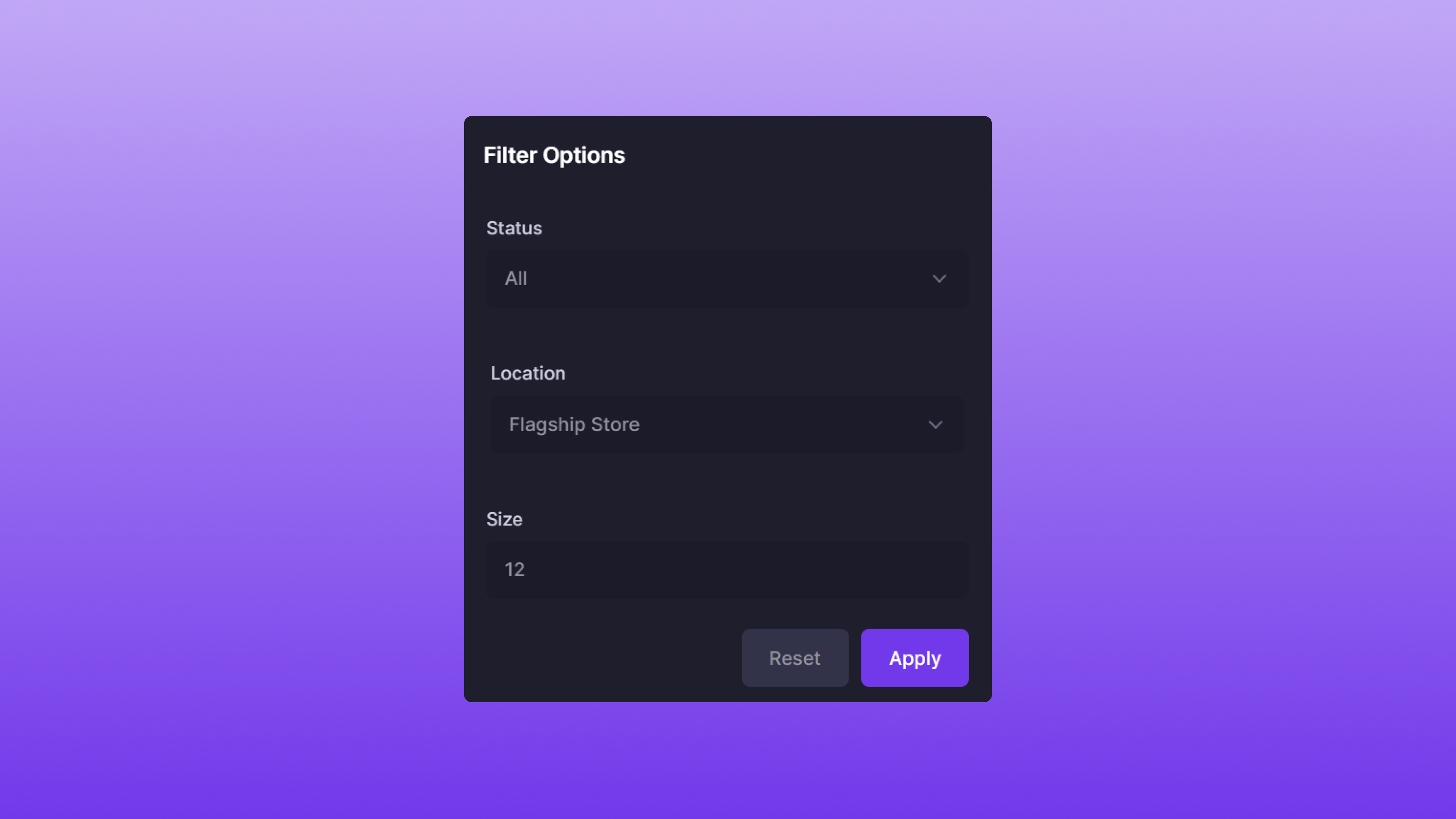
- Status: The Item’s Status.
- A specific Status can be selected, or you can default to All. This will return all Items, regardless of their status.
- Location: The Item’s location.
- Size: The Item’s size.
- All Items, disregarding a specific Item status
- Flagship Store as the location
- 12 as the size
Using Search & Filter
Search and Filter can also be used in conjunction with each other. A few examples of this feature are below:Example #1
- Search:
adidas yeezy - Filter:
- Location: Flagship Store
Example #2
- Search:
adidas yeezy - Filter:
- Status: Active
Example #3
- Search:
adidas yeezy - Filter:
- Location: Flagship Store
- Size: 12